Foothold adds the traversal moves that Epic's Mover plugin doesn't ship: climbing, ledge hang, ladders, mantle, glide, wall-run and slide. Each one is a real Mover movement mode, so it predicts, rolls back and replicates the way Walking and Falling do. It also includes:
- a foot placement node that works on Mover pawns
- a traversal pose node that plays your own clips (an Animation Set) with IK on top, or a procedural pose when you have no clips
- a one-click setup for the Game Animation Sample's (GASP) Mover character, verified on the 5.8 download
- a procedural demo course to try it all on
- Engine: Unreal Engine 5.8 only. Mover is still Experimental in 5.8, and its API changes between versions.
- Platforms: Win64, Linux and Android for the runtime modules; Win64 and Linux for the editor tools.
- Networking: server-authoritative through Mover's Network Prediction backend. Tested with listen and
dedicated servers, in packaged Development and Shipping builds, with added latency and packet loss, and with an
Android phone joining over Wi-Fi (see "Networking": raise Network Prediction's
FixedTickInputSendCountfor low-frame-rate clients).
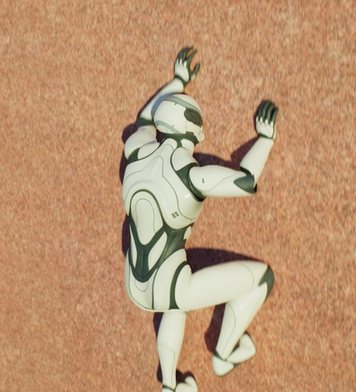
Climbing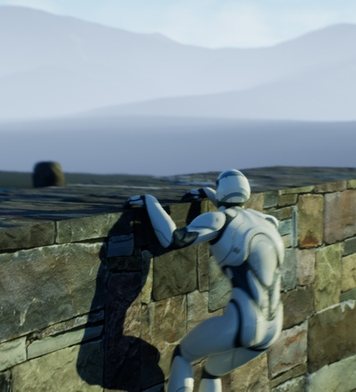
LedgeHang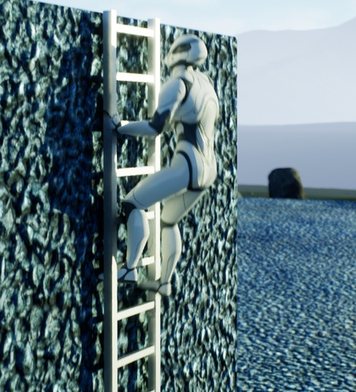
Ladder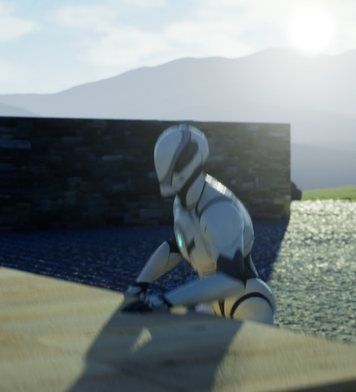
Mantle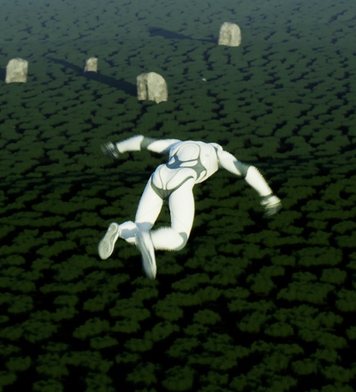
Gliding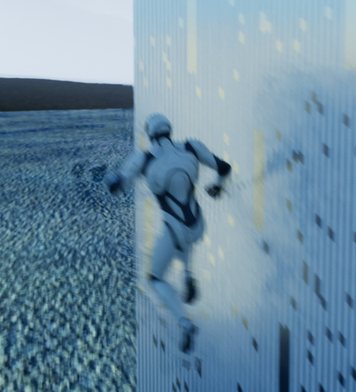
WallRun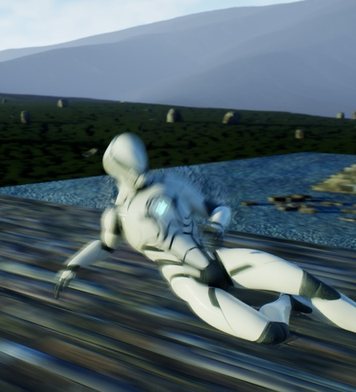
SlideThe seven modes and their Mover mode names. In-engine renders. The Mannequin plays Free Animation Library and GASP clips through an Animation Set; clips aren't included.
#What it fixes, and what it doesn't
Mover has no climbing, hanging, ladder, mantle, glide or slide mode. Epic's examples cover walking, falling, flying, swimming, and a few scripted moves (dash, vault, zipline, wall-run course). Foothold's seven modes fill the gap. They share one sync state, so a climb or a hang survives a reconcile on a client.
Epic's Foot Placement node doesn't work on a Mover pawn. The node reads the Character Movement Component. On a pawn without one it always sees "on the ground", "not walkable" and a flat floor, so the feet stay level on a slope. Foothold's Foot Placement (Mover) is its own node, written for Mover (it doesn't contain Epic's code): it reads Mover's grounded state and finds the ground under each foot itself. On a 20° slope where the ground under Manny's feet differs by 10.3 cm, Epic's node leaves the feet level (0.0 cm apart) and 17.6–27.8 cm above the ground; Foothold's puts them 10.9 cm apart, both at ankle height on the ground. An automated test on Manny measures exactly that.
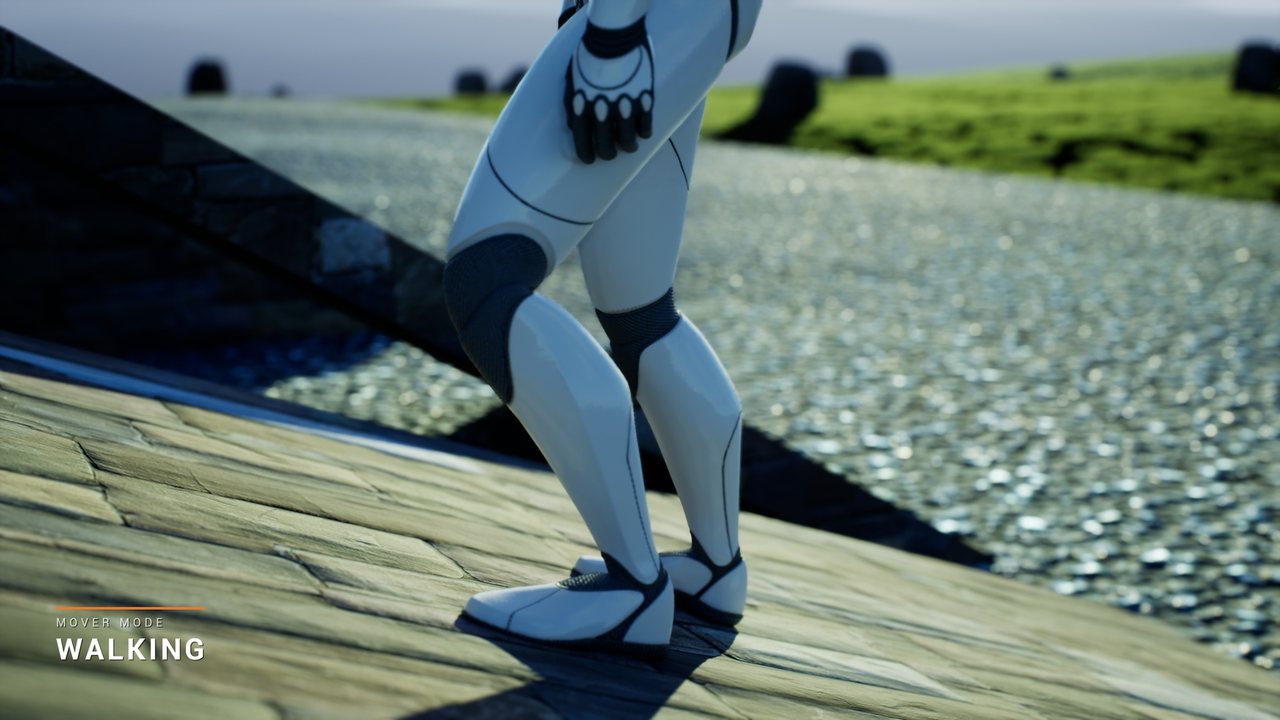
An honest note about GASP. The Game Animation Sample's Mover character doesn't use Epic's Foot Placement
node. Its Mover anim blueprint places the feet with a Control Rig (CR_Biped_FootPlacement). If you start from
GASP's Mover pawn, you already have working feet, and Foothold gives you the traversal modes, the pose and the
setup tool. The foot placement node is for everyone else: anim blueprints that use Epic's node, such as GASP's
Character Movement anim blueprint, or a CMC character you're moving to Mover.
#Quick start
#A. The Game Animation Sample's Mover character (one click)
- Enable Foothold (Edit > Plugins). Mover, Animation Warping and Enhanced Input are enabled with it.
- Open your GASP 5.8 project. In the Content Browser, select
SandboxCharacter_Mover(or your own Mover pawn Blueprint), or select nothing to use GASP's default path. - Choose Tools > Foothold > Set Up GASP Mover Character.... Foothold shows a dry run of what it will change and asks before changing anything.
The setup:
- adds Foothold's modes and their entry transitions to the pawn's Mover component (not the slide on GASP's pawn, which has its own motion-matched slide; see below)
- adds a
UFootholdComponentto the pawn - inserts a Foothold Pose node just before the anim blueprint's Output Pose
- maps the new modes in GASP's
MovementModeMap: hanging, climbing, ladders and mantles toOnGround, gliding and wall-running toInAir. GASP's graph plays a landing wheneverInAirturns intoOnGround, so with the wall modes onInAirevery mantle and every step off a wall ended in a landing crouch.
Each changed asset is copied to <file>.foothold-backup first; a later run keeps that first backup, the asset as it
was before Foothold. Running the setup again changes nothing, except that it moves wall modes an earlier version
mapped to InAir over to OnGround.
Verified on the real sample. On a copy of the Game Animation Sample 5.8 download, after this setup, GASP's Mover
pawn (DDCvar.PawnClass 1) ran all eight sections of the demo course through its own input actions (IA_Move,
IA_Jump, IA_Sprint): slopes, mantle, ledge hang, climbing, ladder, the 13-step tower, glide and wall-run.
GASP's character jumps higher than the template pawn, so the 60 and 100 cm demo blocks are a hop-on for it; the
140 cm block mantles. It also accelerates more slowly, so give wall-runs a run-up and sprint.
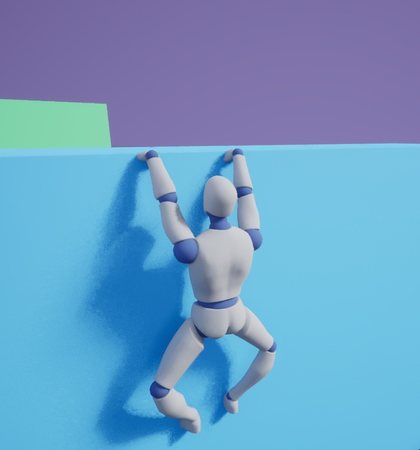 Ledge hang
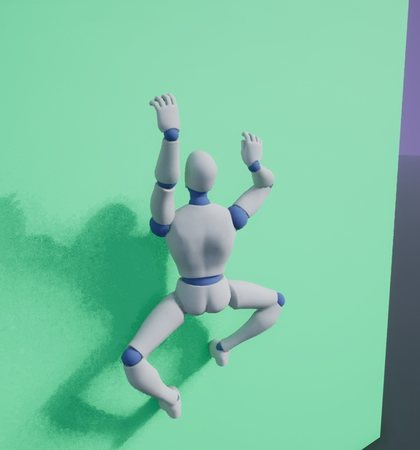 Climbing
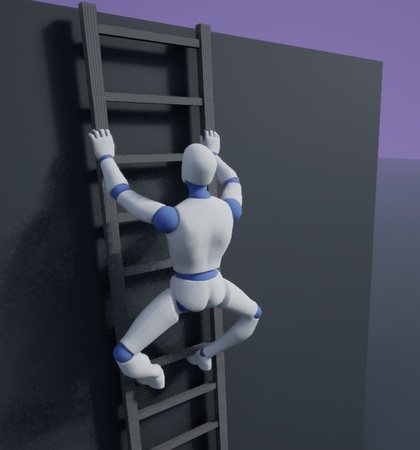 Ladder
Clips on GASP's character. GASP has no hanging, climbing or ladder clips, so after the setup its character uses
the procedural pose in those modes. To play clips, make an Animation Set (see Animation Sets below) and set it on the
Foothold Pose node the setup inserted. GASP's character uses the UEFN Mannequin skeleton, so clips made for the UE5
Mannequin (the Free Animation Library's, for example) need retargeting to it first: an IK Retargeter from
IK_UE5_Mannequin_Retarget to IK_UEFN_Mannequin, both of which ship with GASP. GASP's own M_Neutral_Sprint_Loop_F
and M_Neutral_Jump_Loop_Fall work as the wall-run and glide loops with Tuning.bTiltAirClips on.
The same setup runs from the command line, for example in CI:
UnrealEditor-Cmd.exe MyGame.uproject -run=FootholdSetup -Pawn=/Game/Blueprints/SandboxCharacter_Mover [-Anim=<anim blueprint>] [-DryRun] [-NoSave] [-NoBackup]
It exits with 0 on success and 1 on any error.
#B. Your own Mover pawn
- Use
UFootholdMoverComponentinstead ofUCharacterMoverComponent; it's the same component with Foothold's modes and transitions already added. For a Mover component you add in a Blueprint, run Tools > Foothold > Set Up GASP Mover Character... with that Blueprint selected; it works on any Mover pawn Blueprint. From C++ outside a constructor,FFootholdDefaults::AddToMover(*Mover)adds the same modes and transitions. - Add a
UFootholdComponentto the pawn. It produces Foothold's extra inputs (drop, glide, climb, crouch) and the animation data. - In the anim blueprint, add Foothold Pose (category Foothold) as the last node before Output Pose.
- Mark surfaces as climbable with the component or actor tag
Climbable(see "Shared settings").
AFootholdCharacter is a ready-made pawn: capsule, mesh, camera boom, UFootholdMoverComponent,
UFootholdComponent and Enhanced Input bindings. Make a Blueprint child of it, set the mesh, anim class and input
assets, and it plays.
#C. Swapping Epic's Foot Placement node
Select one or more anim blueprints in the Content Browser and choose Tools > Foothold > Replace Foot Placement Nodes in Selected Anim Blueprints. Each Foot Placement node becomes Foot Placement (Mover) and keeps:
- its bones: the pelvis, and the foot, IK foot and ball bone of each leg
- its alpha and the other settings both nodes share, exposed pins, and bindings to those settings
- its functions, position and links
Epic's planting, pelvis-spring and trace settings have no equivalent; Foot Placement (Mover)'s own ground, pelvis and smoothing settings start at their defaults. The log lists any binding it had to drop.
Save the blueprints to keep the change. Foot Placement (Mover) also works on Character Movement pawns, so you can swap first and move to Mover later.
#Controls
Foothold reads Mover's standard character input (move direction, jump) plus four optional actions on
UFootholdComponent: Drop, Glide, Climb Toggle and Crouch. Assign Enhanced Input actions to
them, or call RequestDrop(), RequestGlideToggle(), RequestClimbToggle() and SetCrouchHeld() from your own
input code. GASP's WantsToCrouch input is read as "crouch held" automatically.
"Let go" means any of: the Drop action, holding crouch, or jumping while pushing away from the surface.
| Mode | How it starts | While in it | How it ends |
|---|---|---|---|
| Mantle | Jump at an edge 45–150 cm above your feet while pushing toward it. Ladders that end in a ledge mantle too. | Automatic: pull up, then move over the top. | Hands over to Walking on top. If the path gets blocked, it drops to Falling. |
| Ledge hang | Falling or jumping near an edge at hand height while facing it. | Move sideways to shimmy along the edge. | Jump, or hold toward the wall 0.35 s, to climb up. Hold away from a climbable wall to climb down onto it. Let go to drop. |
| Climbing | Walk into a Climbable wall, or touch one in the air, while pushing toward it. |
Move in any direction along the wall; jump to hop up. | Reaching a walkable top climbs over it. Reaching the floor steps off. Let go to fall. |
| Ladder | Walk into a UFootholdLadderComponent, or touch one in the air. |
Forward climbs up, back climbs down; you stop on the nearest rung. | At the top, mantles off (bMantleOffTop). At the bottom, steps off. Jump or let go to jump off. |
| Glide | In the air, at least 3 m above the ground, once a jump has slowed: press jump or Glide. | Steer with the move input; you bank into turns. | Press jump or Glide again to fall, or land on walkable ground. |
| Wall-run | Jump at a wall at 45° or less while moving at 450 cm/s or faster. | Hold along the wall. | Jump to wall-jump (forward speed is kept). Pull back or let go to fall. Ends after 1.5 s, at the end of the wall, or on landing. |
| Slide | Hold crouch while moving at 400 cm/s or faster on the ground. | A burst of speed, then it brakes; downhill it picks up speed. Steer a little with the move input. | Let go of crouch, slow below 200 cm/s, or jump (the slide's speed is kept). Sliding off an edge falls. |
The demo project's input mapping uses W/A/S/D, the mouse, Space (jump), E (glide), C (drop), F (climb toggle), Left Ctrl (crouch) and the matching gamepad buttons.
#Settings
Every setting below is on the mode or transition object inside the Mover component (Details panel > Movement Modes / Transitions), with its default value.
#Shared settings (UFootholdSharedSettings, on the Mover component)
| Setting | Default | What it does |
|---|---|---|
| TraceChannel | Visibility | Channel for every Foothold probe. |
| ClimbPolicy | TaggedOnly | TaggedOnly: only surfaces tagged ClimbableTag can be climbed. AnySteepSurface: any wall can. |
| ClimbableTag / NoClimbTag / NoWallRunTag | Climbable / NoClimb / NoWallRun |
Component or actor tags. NoClimb also blocks ledge grabs and mantles. |
| MinWallAngle | 70° | A surface counts as a wall at this angle from up or more. |
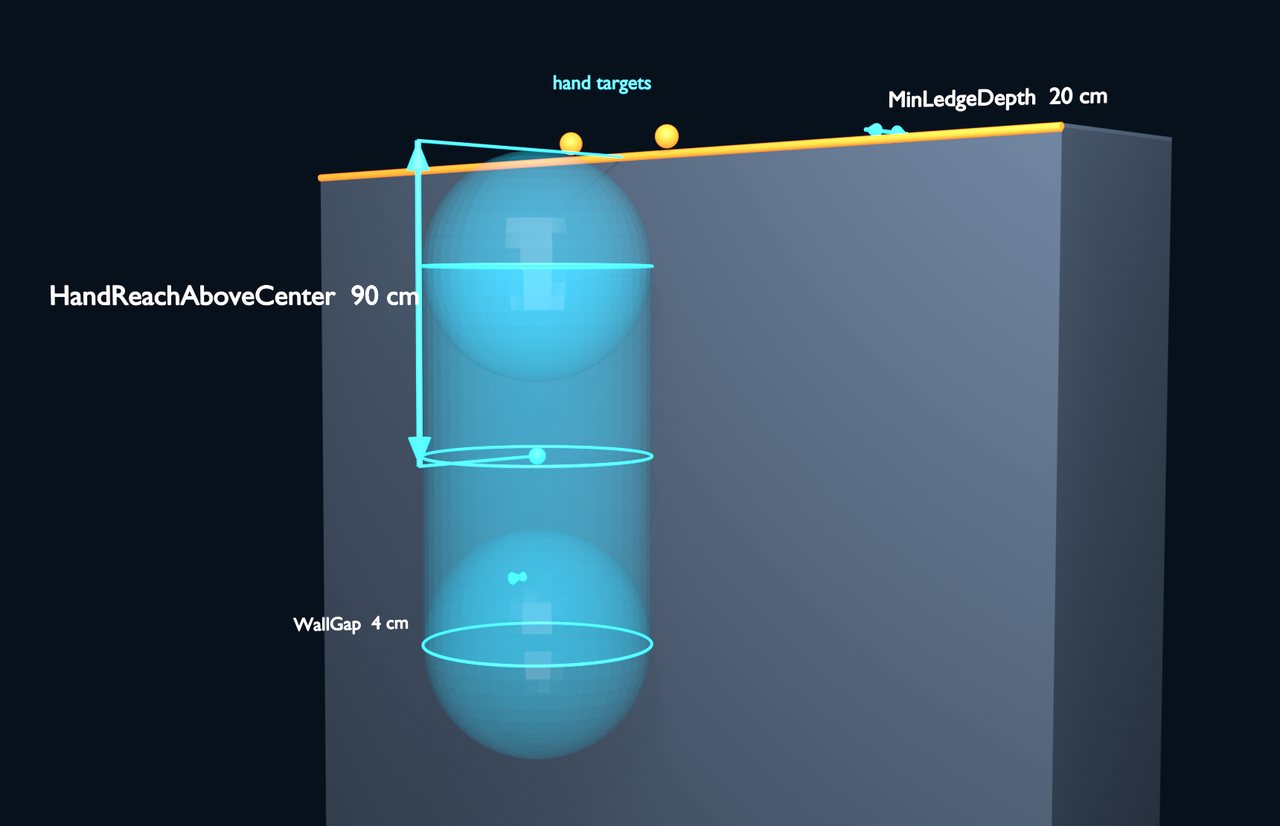
| HandReachAboveCenter | 90 cm | Where the hands are above the capsule centre while hanging. |
| WallGap | 4 cm | Gap between the capsule and the wall while hanging or climbing. |
| MinLedgeDepth | 20 cm | A ledge top must be at least this deep. |
| bAllowHangOnUnstandableLedges | false | Allow hanging from tops too steep to stand on (no climb-up there). |
| MaxWalkSlopeCosine | 0.71 (45°) | Walkable slope for ledge tops and landings. |
| bDrawDebug | false | Draw probes and anchors. The console variable foothold.Debug 1 does the same. |
#Modes
| Mode | Settings (defaults) |
|---|---|
| Mantle | RiseSpeed 260, OverSpeed 300, MinPhaseDuration 0.18 s, MaxDuration 1.2 s, MaxHeight 260 cm, ExitSpeed 150, BlockedTolerance 10 cm, RetryCooldown 0.25 s |
| Ledge hang | ShimmySpeed 130, SettleTime 0.15 s, ClimbUpHoldTime 0.35 s, ClimbDownHoldTime 0.35 s, DropPushSpeed 150, RegrabDelay 0.4 s, MaxEdgeStep 20 cm, EdgeSearchMargin 35 cm |
| Climbing | ClimbSpeed 120, ClimbAcceleration 2000, HopSpeed 380, HopTime 0.22 s, DropPushSpeed 150, RegrabDelay 0.4 s, WallReach 30 cm, FloorStepOffDistance 6 cm |
| Ladder | ClimbSpeed 150, RungSettleSpeed 60, EntryTime 0.2 s, JumpOffSpeed 300, JumpOffUpSpeed 250, RegrabDelay 0.4 s, GrabDistance 80 cm, FloorStepOffDistance 6 cm, TopOutBelowTop 60 cm (the mantle off the top starts with the hands at the top) |
| Glide | SinkSpeed 200, VerticalAcceleration 1400, GlideSpeed 900, ForwardAcceleration 500, TurnRate 90°/s, LandingDistance 8 cm |
| Wall-run | RunSpeed 700, MaxRunSpeed 1200, GravityScale 0.15, EntryUpSpeed 100, MaxDuration 1.5 s, WallJumpOffSpeed 450, WallJumpUpSpeed 550, ReattachDelay 0.2 s, WallReach 35 cm, EntryReach 60 cm, PullInSpeed 500, LandingDistance 8 cm |
| Slide | StartBoost 400, MaxSpeed 1600, Braking 700 cm/s², SlopeGravityScale 1, MinSpeed 200, TurnRate 45°/s, JumpUpSpeed 500, FloorSnapDistance 25 cm, MinDuration 0.25 s, RestartDelay 0.4 s |
| All modes | CrouchInputFieldPrefix WantsToCrouch, GlideCooldownAfterExit 0.2 s |
Speeds are in cm/s.
#Entry transitions (global, on the Mover component, evaluated in this order)
| Transition | Settings (defaults) |
|---|---|
| Air mantle | MinHeight 45 cm, MaxHeight 150 cm, Reach 35 cm, MaxUpSpeed 450, MinInputTowardWall 0.5 |
| Ledge grab | BelowReach 35 cm, AboveReach 25 cm, Reach 30 cm, MaxUpSpeed 150, MinTowardWall 0.5 |
| Ladder start | GroundReach 60 cm, AirReach 50 cm, MinTowardLadder 0.5 |
| Climb start | bRequireClimbRequest false, GroundReach 6 cm, AirReach 18 cm, GroundMinTowardWall 0.7, AirMinTowardWall 0.5 |
| Wall-run start | MinSpeed 450, MaxUpSpeed 200, Reach 60 cm, MaxIncidenceAngle 45° |
| Glide start | bJumpStartsGlide true, MinHeight 300 cm, MaxUpSpeed 300 |
| Slide start | MinStartSpeed 400, CrouchInputFieldPrefix WantsToCrouch |
A standing jump lifts the feet about 130 cm, so with the default 150 cm Air mantle reach you can jump-mantle onto
ledges up to about 280 cm high. Above that you hang instead. Lower MaxHeight to make more ledges hang-only.
If a wall-run doesn't start, foothold.LogWallRunStart 1 logs why each attempt was rejected (too slow, rising too
fast, no wall within reach, wrong angle) with the measured value.
#Ladders
Drop an AFootholdLadder actor (rails and rungs built from the engine cube) or add a UFootholdLadderComponent to your own mesh. The ladder's +X axis faces the climber.
| Setting | Default |
|---|---|
| Height | 400 cm |
| Width | 60 cm |
| RungSpacing | 30 cm |
| StandOffDistance | 45 cm |
| bMantleOffTop | true |
#Animation
#The animation data
UFootholdComponent::GetAnimData() returns an FFootholdAnimData and is safe to call from the anim thread. It
contains:
- the active kind (
EFootholdKind) and its blend weight - velocity in the character's space
- the surface normal, facing and up vectors
- hand and foot targets (world space), each with a valid flag
LimbLift: how far each limb comes off the surface on its way to its next hold (the targets stay on the surface)CycleDistance(climbing and ladder stride),MantleAlpha,MantleRiseShare,MantleTravelandMantleProgress(the capsule's whole mantle move and how far along it the capsule is),BankDegrees(glide) andTimeInMode
OnFootholdModeChanged fires when a Foothold mode starts or ends.
Limb-target settings on the component:
| Setting | Default |
|---|---|
| PoseBlendInTime | 0.15 s |
| PoseBlendOutTime | 0.25 s |
| HandSpacing | 22 cm |
| FootSpacing | 16 cm |
| HangFootDrop | 150 cm |
| ClimbHandHeight | 60 cm |
| ClimbFootDepth | 65 cm |
| StepLength | 45 cm (body travel per step; ladders round it to whole rungs) |
| StepTime | 0.22 s (shorter when the body moves fast) |
| StepLift | 8 cm |
| ContactGap | 4 cm |
| HandGripOut | 3 cm (wrists out from the ledge face) |
| HandGripUp | 5 cm (wrists above the ledge top) |
| GlideBankPerTurnRate | 0.35 |
| bReachForLedges | true |
| LedgeReachAbove / LedgeReachBelow | 100 cm / 35 cm (edge height relative to the hands) |
| LedgeReachDistance | 60 cm |
| LedgeReachBlendTime | 0.15 s |
Hold to hold. Climbing, on a ladder and hanging, each hand and foot rests on its hold while the body moves past it, then moves to a new hold half a step ahead of where it belongs; the diagonal pairs (left hand and right foot, right hand and left foot) take turns. On a ladder they go rung to rung. When the body stops, a limb that's well away from where it belongs takes one more step. In a mantle the feet push off their wall holds, step up over the edge (the lead foot as the hips near it) and come under the body to stand.
Reaching for a ledge. While the pawn is in the air below a ledge it can hang from (the same query the ledge grab
uses, with a window that starts up to LedgeReachAbove over the hands), the arms lift toward the edge. The reach
ramps in as the edge comes closer and fades when there's nothing to grab. When the grab happens, the hang pose starts
from where the reach left the arms, so the catch doesn't pop. FFootholdAnimData::ReachWeight and the reach targets
are there for your own anim graph too.
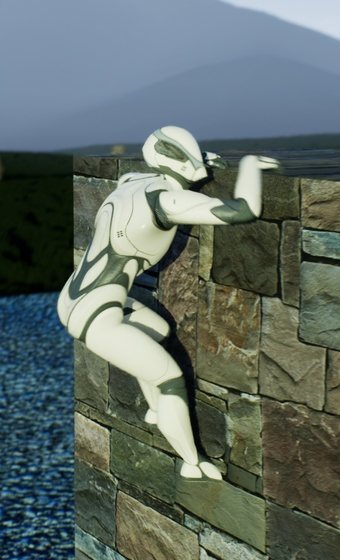 Catch
CatchLedgeHang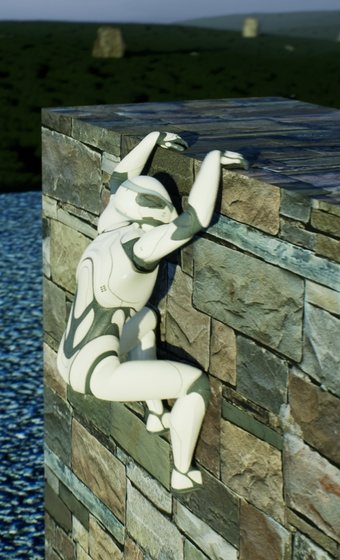 Hang
HangLedgeHang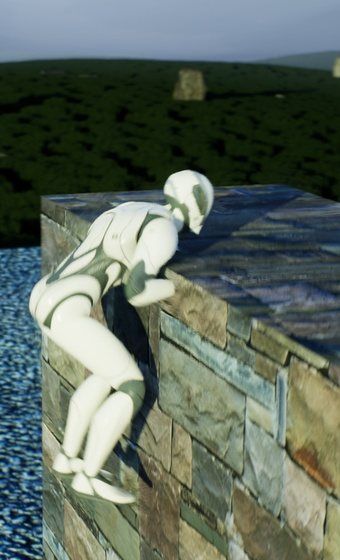 Pull up
Mantle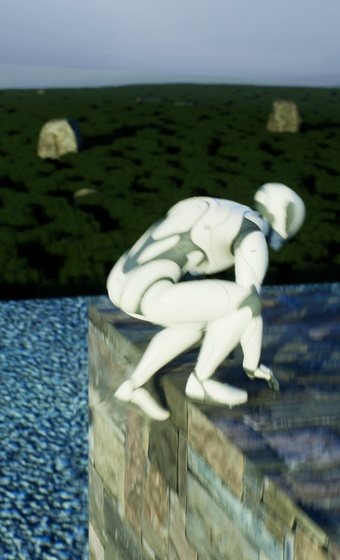 Over
OverMantle On top
Mantle#The Foothold Pose node
Foothold Pose takes your locomotion pose and, while a Foothold mode is active, blends in a traversal pose. The traversal pose comes from, in order:
- the node's Animation Set, for any mode the set has clips for (see below)
- the Traversal Pose pin, when
bUseTraversalPoseis ticked (a state machine driven by the anim data, for example) - a procedural pose. Hanging, climbing, on a ladder and mantling, the body is built from the skeleton's reference
pose rather than the incoming one (which in most graphs, GASP's included, is an in-air pose: legs folded, back
hunched); only the fingers keep the incoming pose. The hips come in to the wall, the chest leans back, the head
looks up, and the body sways toward the higher hand; the knees turn out and the feet stay level on their holds.
A mantle leans over the edge as it rises, brings the knee up and eases the hands off before it lets go. Glide
pitches and banks, a wall-run leans, a slide drops and leans back. The Wall settings in
Tuning(bWallBodyFromReference,WallHipsIn,WallChestLean,WallLookUp,WallSway,MantleLean) shape it, and Bones > Body names the spine, neck and head.
- the node’s Animation Set
- the Traversal Pose pin
- the procedural pose
On top of that base, two-bone IK puts the hands and feet on the ledge, wall or rungs. It blends out when the mode ends. It's set up for the UE5 Mannequin's bone names; change Bones for other skeletons. Put it after any foot placement or leg IK, as the last node before Output Pose, or leg IK will pull the feet back to the standing stance.
Per-mode IK strength. Tuning has a hands and feet IK strength (0–1) for each mode: LedgeHangIK,
ClimbingIK, LadderIK, MantleIK, GlideIK, WallRunIK. At 1 (the default) the limbs land on the targets,
within 3 cm for the hands and 8 cm for the feet on Manny; that suits the procedural pose. With authored clips,
lower it so the clip's own limb motion shows. The demo project uses hang {1, 0.3}, climbing {0.5, 0.35},
ladder {0.6, 0.4} and mantle {0.5, 0}.
Hands grip what they hold. With Tuning.bGripSurfaces (on by default) the hands turn to the surface: palms down
on a ledge with the fingers over the edge, palms flat on a wall or ladder with the fingers up. The node reads each
hand's direction from three knuckles (Bones > Grip, index_01, middle_01 and pinky_01 on Manny and the UEFN
mannequin), so it works whatever the skeleton's bone axes are. It's blended by the same per-mode hand IK strength;
if a knuckle is missing, the hands keep their incoming rotation.
Hands and feet stay out of walls. Climbing at a low IK strength lets a clip's own reach show, and a clip's hand
can swing past the wall's face; so can a walking arm in the first frames of a climb. With
Tuning.bKeepLimbsOutOfWalls (on by default), after every blend the node moves any hand or foot that would be inside
the wall back out along its normal, the elbow or knee bending to follow, until every joint of it (wrist and fingers,
ankle and toes) is at least HandWallClearance (1.5 cm) or FootWallClearance (5 cm, the toes reach past the ball
joint) in front of it. The wall is the climb's own surface (FFootholdAnimData::SurfacePoint and SurfaceNormal).
Hand-overs fade. When one Foothold mode hands over to another (a hang, climb or ladder to its mantle), the node
cross-fades from the last pose over KindBlendTime (0.25 s) instead of cutting. A mode starting fades the same way
from the node's output just before it: catching a ledge out of a jump, the body comes onto the hold instead of jumping
there in one frame (GASP's character jumps high and grabs with its hands well short of the edge). The traversal pose
takes over on the mode's first frame: UFootholdComponent refreshes the animation data right after Mover's step, so
anim blueprints that read Mover's mode directly (GASP's does) never show their own pose for the new state first.
Within a mode, the set's directional clips blend over ClipBlendTime (0.2 s) when the direction or speed changes, so
a shimmy stopping into the hang idle doesn't snap.
If a pose looks wrong, foothold.LogPoseNode 1 logs the node's output pelvis, weight and blend state every frame.
Montages: UFootholdComponent::EntryMontages maps each kind to a montage that plays when that mode starts.
#Animation Sets
A Foothold Animation Set (UFootholdAnimationSet, a data asset) holds clips for the traversal modes:
- Ledge hang, Climbing, Ladder: an Idle clip plus up to eight directional clips (Up, Down, Left, Right and the diagonals) and the speed they were authored at
- Mantle: Mantle, plus ClimbUpFromHang and ClimbUpFromClimb for climbing up from a hang, or from a wall or ladder top
- Glide and WallRun: one loop each. A loop authored upright, such as a sprint loop or a fall loop, needs
Tuning.bTiltAirClips: then the glide pitch and bank and the wall-run lean apply over it. - Slide: one clip, played once and held at
SlideHoldFractionuntil the slide ends (slide clips usually drop, slide, then stand up; Create Animation Set measures the hold point where the pelvis is lowest)
Set it on the Foothold Pose node's Animation Set. While a mode runs, the node:
- blends the two clips nearest the movement direction and fades to Idle as the pawn slows
- plays them at a rate matched to the mode's speed (0.3× to 2×)
- holds the clips in place on the capsule: root motion and the pelvis travel of looping clips are removed, since Mover moves the capsule
- with
bAnchorClipsToHands(on by default), shifts the body so the clip's hands meet the ledge or wall - syncs the mantle and climb-up clips to the mode's progress. These clips usually carry their rise in the root bone
and crouch on the hands half-way; the body follows the clip's own root path, its rise and forward travel scaled to
the capsule's actual move, so it doesn't sink while the capsule rises (and it lands exactly where the capsule ends).
The clip starts at its take-off, where its root begins to rise (a mantle clip that starts standing on the ground
skips its wind-up), and the first frame carries the body on from where the pose before it had it, easing that
out over the first half of the mantle.
A mantle shorter than its clip plays the clip faster: if your clips look rushed, give the Mantle mode a slower
RiseSpeedandOverSpeedand a longerMaxDuration(the trailer's Mannequin uses 140, 160 and 1.6 s with the Free Animation Library's clips, about 1.1 s for a 1.4 m mantle)
Modes without clips fall back to the Traversal Pose pin or the procedural pose, so a set can start with only the clips you have.
Making one from clips you already own. Select the clips in the Content Browser and choose Tools > Foothold >
Create Animation Set from Selected Animations. Foothold sorts them into slots by name (hang, shimmy, ledge,
ladder, climb, climb up/top, mantle, glide, wall run, plus direction words such as left, up or up_left), measures
each set's authored speed, and creates DA_FootholdAnimationSet next to the first clip. It lists what went where;
check the slots, fill any gaps by hand, and save the asset. The clips must play on your mesh's skeleton (use a compatible skeleton
or retarget them first).
When you retarget with an IK Retargeter, check that its Root Motion op names the source and target root bones
(root, and pelvis as the target pelvis). Many traversal clips, the Free Animation Library's included, carry their
travel in the root bone; without those bones the retargeted clip moves the pelvis instead, and since the node pins
the root (the capsule does the travelling), the body floats up during a climb-up or mantle.
Foothold doesn't include animation clips. The demo project builds its set this way from the free Free Animation Library on Fab (hang, shimmy, climb, ladder, climb-up and mantle clips), added to the project from Fab under its own licence.
#Foot Placement (Mover)
Foothold's own foot placement node, written for Mover. Every frame it:
- traces the ground under each animated foot and moves that leg's IK foot bone up or down by how far the ground there sits from the capsule's floor
- tilts planted feet to the slope; a foot lifted mid-step keeps its animated angle
- raises a foot whose ball would still be below the ground once the foot is tilted, so toes don't sink into a step (optional ball bone); on an even slope the tilt already lifts the ball, so the foot isn't raised
- lowers the pelvis so the lower foot can reach
It reads the grounded state from Mover (or from the Character Movement Component on a Character), and fades out in
the air and while a Foothold mode runs, so it never fights the traversal pose. Use it in component space, followed
by a Leg IK node that solves each leg to its IK foot bone, then Foothold Pose:
... > Local To Component > Foot Placement (Mover) > Leg IK > Component To Local > Foothold Pose > Output Pose.
| Setting | Default |
|---|---|
| PelvisBone | pelvis (optional) |
| Legs | one per foot: FootBone, IKFootBone, BallBone (optional); defaults to Manny/Quinn's foot_l/ik_foot_l/ball_l and _r |
| TraceChannel | Visibility |
| TraceRadius | 4 cm (0 traces a line) |
| MaxStepUp / MaxStepDown | 45 cm / 45 cm |
| MaxFootAngle | 40° |
| FootLiftHeight | 12 cm (above this, a foot is mid-step and doesn't tilt) |
| bAdjustPelvis / MaxPelvisDrop | true / 40 cm |
| FootInterpSpeed / PelvisInterpSpeed | 15 / 10 |
| GroundBlendTime | 0.2 s |
foothold.LogFootPlacement 1 logs each leg's ground (under the ankle and the ball) and its offset every frame.
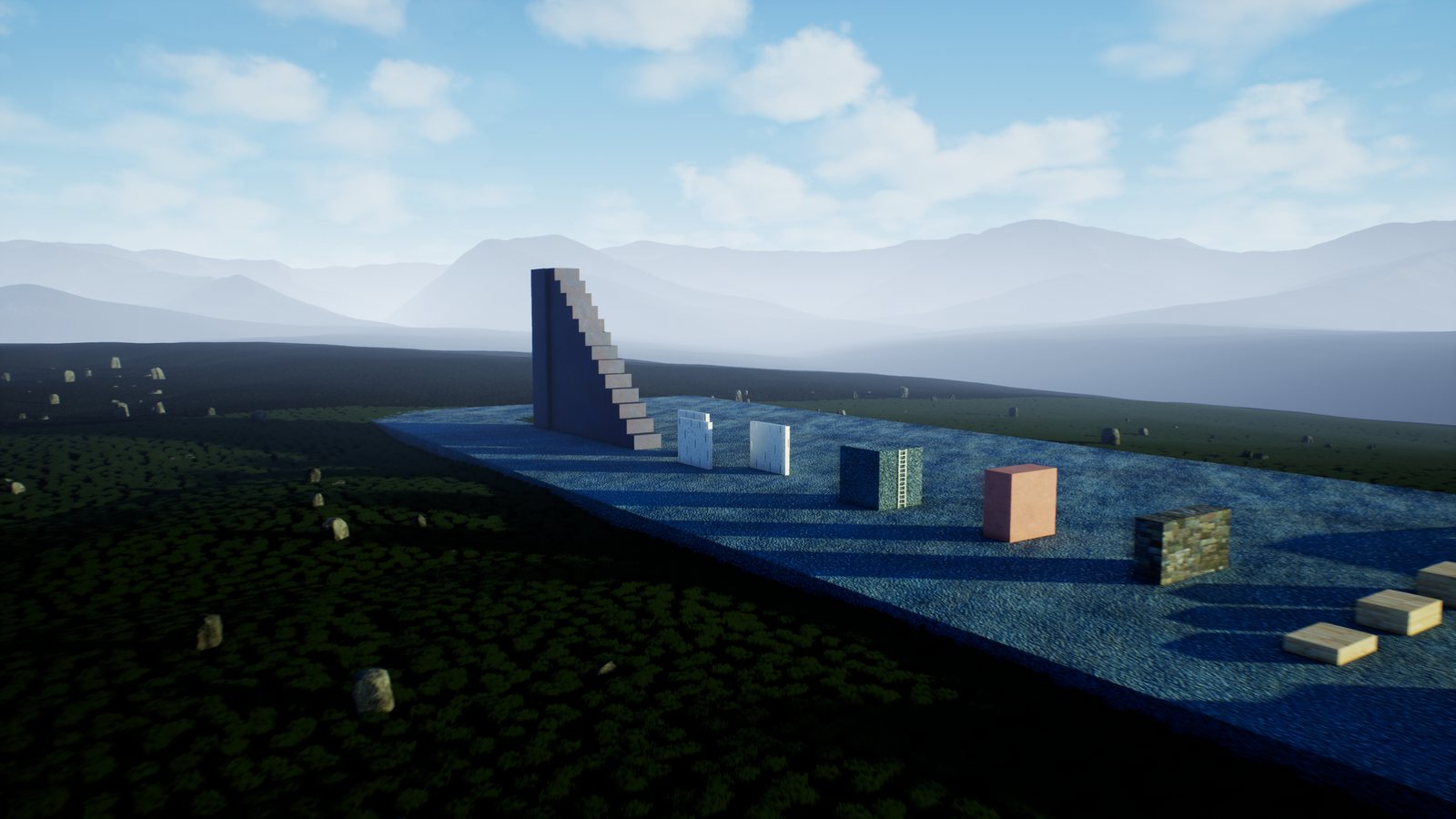
#The demo course
Drop Foothold Demo Course into a level, or type Foothold.SpawnDemo in the console. Without arguments it
spawns 5 m in front of you; with Foothold.SpawnDemo X Y Z it spawns at that point. Either way it moves you to
the start. The course runs along +X and has a labelled section for each move:
- Slopes (10°, 20°, 30°), stairs and rubble, for foot placement
- Mantle blocks: 60, 100 and 140 cm
- A 310 cm ledge wall, 6 m long
- A 4 m wall tagged
Climbable - A ladder to a 4 m platform
- A wall-run alley of three alternating walls
- An 18 m glide tower climbed by 13 mantle steps, and a landing field
- A slide lane beside the course: a 3 m run-up, a 20° ramp down and a long run-out
 234567
Foothold.SpawnDemo builds it with plain ones.The course replicates, so one spawned on the server appears on every client. In a networked game, run the
command on the server (for example ServerExec Foothold.SpawnDemo): a course spawned on a client exists only
there, and the server moves the pawn back. Seed changes the rubble. GetSectionStart(Name) returns where to
stand for each section.
#Networking
Foothold's modes run inside Mover's simulation. All Foothold state lives in one sync struct:
FFootholdSyncState. It serializes only the fields the current mode uses and reconciles at 2 cm. Foothold's
inputs travel in FFootholdInputs, and presses survive input merging.
Verified with a listen server and one client on loopback, the client driving the course through scripted input:
- The template pawn, all 9 sections: the server saw the same 65 mode changes as the client, in the same order. The client logged 11 to 12 reconciles per run, from the spawn or a server-side teleport; none happened during a Foothold mode.
- GASP's own Mover character, all 8 sections that apply to it (it keeps GASP's slide): the same 66 mode changes on both sides, in the same order. The client logged 12 to 15 reconciles per run; in the run broken down on 12 Oct, 10 of 14 came from the spawn or a teleport, 2 from walking into a wall's corner, 1 during a mantle and 1 during a glide.
The Ladder mode's state refers to the ladder, so clients must be able to resolve it. Ladders placed in the level
always can. AFootholdLadder replicates, with its UFootholdLadderComponent settings, so ladders spawned at
runtime work too. A ladder component you add at runtime to your own actor needs that actor to replicate.
To log every mode change, run log LogFoothold Verbose. Each change prints as:
[NetMode/Role] Pawn Old -> New @frame N
#Packaged games, dedicated servers and bad networks
The dev project (Foothold, the Mannequin with its Anim Blueprint and the demo course) was packaged the way a game ships, for Windows, Linux and Android, in Development and Shipping. A bot drove it through the course from the command line, and recorded every mode change and its result, in Shipping too.
Single player: sections passed, out of the course's 9.
| Platform | Development | Shipping |
|---|---|---|
| Windows (Win64) | 9/9 | 9/9 |
| Linux | 9/9 | 9/9 |
| Android (x86_64, on the Android 16 emulator, Vulkan) | 9/9 | 9/9 |
| Android phone (arm64): Honor X5c Plus, MediaTek Helio G85, Mali-G52, Android 15; about 15 fps | 9/9 | 9/9 |
Multiplayer: one dedicated server and one client. The client's mode changes, as it showed them, match what the server saw for that pawn, in the same order, and all 9 sections passed, in every run except the two explained below the table. The phone was a real device on the PC's Wi-Fi.
| Server | Client | Network | Mode changes (client = server) | Client corrections |
|---|---|---|---|---|
| Linux, Development | Windows, Development | clean | 63 = 63 | 11 |
| Linux, Development | Windows, Development | Unreal, average | 63 = 63 | 12 |
| Linux, Development | Windows, Development | Unreal, heavy | 63 = 63 | 11 |
| Linux, Development | Windows, Development | netem | 63 = 63 | 23 |
| Linux, Development | Android, Development | netem + emulator link 40-100 ms | 64 = 64 | not measured |
| Linux, Shipping | Windows, Shipping | clean | 63 = 63 | no log in Shipping |
| Linux, Shipping | Windows, Shipping | netem | 63 = 63 | no log in Shipping |
| Windows editor as server | Windows, Development | clean | 63 = 63 | 11 |
| Windows editor as server | Windows, Development | Unreal, heavy | 63 = 63 | 10 |
| Windows editor as server | Android, Development | clean | 64 = 64 | not measured |
| Windows editor as server | Android, Development | Unreal, heavy + emulator link 60-140 ms | 64 = 64 | not measured |
| Windows editor as server | Android phone, Development | Wi-Fi | 64 = 64 | not measured |
| Windows editor as server | Android phone, Development | Wi-Fi + Unreal, heavy | 61 = 61 | not measured |
| Linux, Development | Android phone, Development | Wi-Fi | 64 = 64 | not measured |
| Linux, Development | Android phone, Development | Wi-Fi + netem | 1 of 3 runs passed; in the other 2 the server missed one jump press (below) | not measured |
| Linux, Development | Android phone, Development | Wi-Fi + netem, FixedTickInputSendCount 16 |
4 of 4 runs passed, 61-64 the same on both sides | not measured |
- Unreal, average: Unreal's packet emulation on both ends, 60 ± 15 ms each way, 1% loss.
- Unreal, heavy: 150 ± 40 ms each way, 5% loss, 1% duplicates, reordering (about 300 ms round trip).
- netem: Linux's network emulation on the server's network card, both ways and below the engine, so it applies to Shipping builds too (they have no packet emulation): 80 ± 25 ms each way, 3% loss, 1% duplicates, 5% reordered.
- Emulator link: the Android emulator's own network delay, on top of the rest.
- Wi-Fi: the phone on the same home Wi-Fi as the PC; the Linux server in WSL was reached through a UDP relay on the PC, because WSL's network doesn't take connections from the LAN.
Corrections under netem about doubled. The Linux servers are packaged Server builds; both stayed up after their client left. The Shipping clients joined from a level without a pawn (see the first engine issue below). Apart from the phone, it all ran on one PC (the Linux server in WSL, the emulator), and nothing ran over the internet.
A phone at 15 fps, and Network Prediction's input settings. The phone ran the game at about 15 fps, so each of
its updates carried about 4 new input frames of Mover's 60 Hz simulation, and Network Prediction's default sends only
the 6 most recent with each update. Over Wi-Fi with netem's loss and reordering on top, the server regularly lacked a
client input frame (35-46 "Gap in input stream" faults a run) or ran out of buffered input (20-30 faults a run). In 2
of 3 runs one of those frames held a jump press: the server didn't jump, so the mantle the client had predicted off
that jump was rolled back a few frames later, and the bot ended that section one step short, on both sides alike.
What was lost was Mover's own jump input; after the rollback every mode change matched the server's again. With
FixedTickInputSendCount raised to 16 (Project Settings > Project > Network Prediction, under Input; server and
client must use the same value) the input gaps went to zero and 4 of 4 runs passed. The input-starvation faults
remained, so a press can still arrive late on a client this slow. If you ship to phones, raise it.
Two engine issues to know about (UE 5.8, reproduced with Mover's own UCharacterMoverComponent pawn and no
Foothold code):
- A Shipping client crashes when it joins a server from a level that has a Mover pawn, in Mover's teardown of that
pawn (
UKinematicActorSimulation::BeginDestroy). Development builds and single-player level changes are fine. Join servers from a level without a possessed Mover pawn, such as a menu map, and it doesn't happen. - Development and Shipping builds can't play together over Mover: Network Prediction adds debug checksums to its replication in non-Shipping builds. Ship server and client in the same configuration.
#Moving a Character Movement character to Mover: checklist
- Replace
ACharacterwith a pawn that has a capsule, a skeletal mesh andUFootholdMoverComponent(orUCharacterMoverComponentplus the setup tool).AFootholdCharacteris a working example. - Produce input: implement
IMoverInputProducerInterface::ProduceInputand fillFCharacterDefaultInputs(move intent, jump pressed, control rotation). - Turn off Replicate Movement on the actor; Mover replicates its own state.
- In the anim blueprint, replace Character Movement reads (velocity, IsFalling, movement mode) with Mover's
velocity and movement mode name or gameplay tags. Foothold modes carry the
Foothold.Activetag. - Swap Epic's Foot Placement node for Foot Placement (Mover) (Tools > Foothold).
- Add Foothold Pose before Output Pose and a
UFootholdComponentto the pawn. - Tag climbable surfaces, place ladders, and test with a listen server and a client.
#Limitations
- UE 5.8 only, and Mover is Experimental. Epic may change Mover's API in later versions. Foothold will follow, but there's no compatibility promise across engine versions.
- The procedural pose is programmer art. For shipped animation, give the node an Animation Set, montages or your own Traversal Pose. Foothold includes no clips.
- No getting onto a ladder from its top. You climb on from the bottom or from the air; at the top you mantle off.
- No hand-off from a wall-run into a ledge hang. A ledge grab can still follow when you fall after the run.
- Climbing needs tagged surfaces by default (
ClimbPolicychanges that). - The slide keeps the capsule's full height, so it doesn't fit under low obstacles.
- On GASP's pawn, Foothold's slide isn't added: GASP 5.8 has its own motion-matched slide (its
Slidingmode), and the setup leaves it in place. Any pawn with a mode namedSlidingis treated the same way. - Platforms tested: Win64, Linux (packaged game in WSL, packaged dedicated server) and Android (the x86_64 build on the emulator, the arm64 build on a phone, which also joined servers over Wi-Fi). The Fab package itself is built for Linux (runtime and editor modules) and Android (arm64 and x64) before each release.
- GASP was verified on the 5.8 download on Win64, in single player and with a listen server and one client on loopback.
#Support
- Discord: https://discord.gg/nqYQ5mtmHb
- Web: https://gregorigin.com/Manuals/Foothold
- Integration help: to have Foothold, or Mover itself, wired into your project, book Unreal C++ days at https://andgregorik.gumroad.com/l/unreal-cpp-days or write to https://gregorigin.com/contact.html
If Foothold saves you time, a rating on Fab helps other Mover users find it.
Copyright (c) 2026 GregOrigin. All Rights Reserved.