Unreal Engine C++ code generation
Answers for every CodeForge workflow.
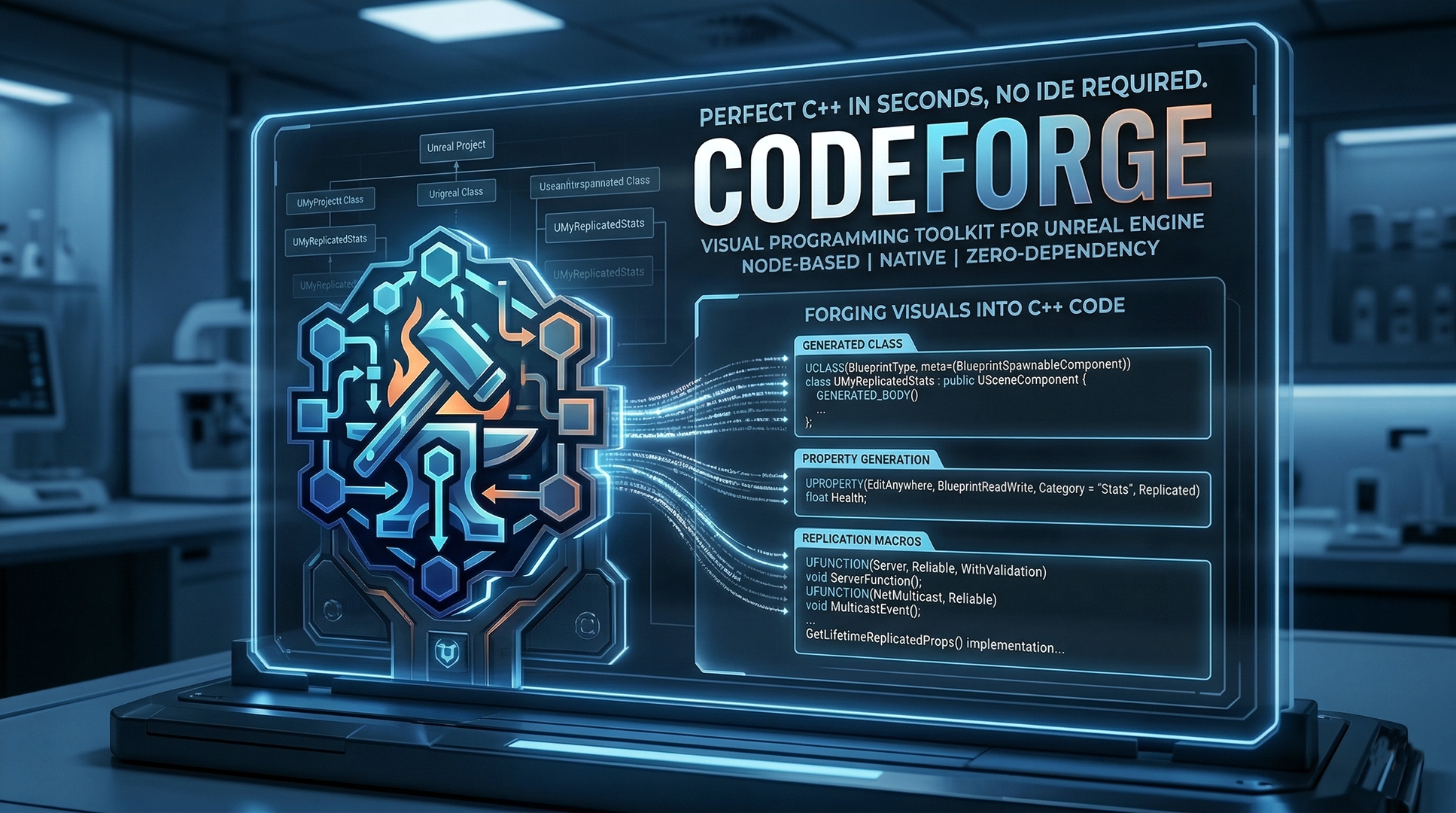
CodeForge helps Unreal Engine teams define native C++ classes, structs, enums, interfaces, properties, functions, delegates, RPCs, and replication setup in a visual editor, then generate Unreal-compatible source files.
Basics
What CodeForge is, what it creates, and who gets the most value from it.
What is CodeForge?
CodeForge is an Unreal Engine editor plugin for generating native C++ boilerplate from a structured visual asset. You define the type, members, specifiers, and module target, then generate files that follow Unreal Header Tool expectations.
It is built for repetitive C++ setup work: classes, structs, enums, interfaces, properties, functions, delegates, RPCs, replication declarations, includes, and common Unreal naming conventions.
Who is CodeForge for?
CodeForge is for Unreal developers who create native gameplay or editor-facing C++ types. It is useful for solo developers, prototype teams, technical designers working with C++ projects, and studios that want repeatable class scaffolding.
Blueprint-only projects can inspect the workflow, but the main value appears when your project has a valid Source folder and at least one C++ module.
Does CodeForge replace programming?
No. CodeForge generates the framework-safe starting point. You still write gameplay behavior, algorithms, data loading, AI logic, combat rules, UI behavior, and project-specific implementation.
Use it to remove boilerplate from the start of a task, not to avoid reviewing or compiling the generated code.
What does "CodeForge Blueprint" mean?
A CodeForge Blueprint is a CodeForge-specific asset that stores a C++ type definition. It is not the same as a gameplay Blueprint class. The asset stores fields such as type kind, class type, module target, subdirectory, properties, functions, RPCs, delegates, enum entries, and validation state.
What type kinds are supported?
CodeForge supports these root type kinds:
ClassStructEnumInterface
Class assets are the broadest option. Struct, enum, and interface assets focus on their Unreal-specific declaration patterns.
Installation And Setup
How to install, enable, and prepare a project before generating C++.
How do I install CodeForge from Fab?
Open the official CodeForge Fab listing, add it to your library, and install the build that matches your Unreal Engine version.
After installation, open Unreal Engine, go to Edit > Plugins, enable CodeForge if needed, and restart the editor when prompted.
How do I install CodeForge manually?
Place the plugin folder in your project plugins directory so the descriptor is here:
YourProject/Plugins/CodeForge/CodeForge.uplugin
Open the project and let Unreal rebuild modules if requested. If the editor rebuild fails, close Unreal and build from Visual Studio, Rider, or your normal Unreal Build Tool workflow.
What does my project need before CodeForge can generate files?
Your project needs a valid native module. In practice, that means a Source folder, a module directory, and a .Build.cs file. Blueprint-only projects should be converted to C++ first by adding a C++ class from Unreal or by creating the module manually.
Where is CodeForge configured?
Project settings include CodeForge options for default module target, default subdirectory, custom template path, Live Coding behavior, preview visibility, toolbar visibility, node colors, brand accent colors, node body brightness, and node title font sizes.
Which Unreal versions are supported?
Use the plugin build that matches the Unreal Engine version shown on Fab or in your downloaded package. Unreal C++ editor APIs can change between engine releases, so a build compiled for one engine version should not be assumed to work in every other version.
For version-specific help, use the Discord.
Daily Workflow
The path from a new CodeForge asset to generated and compiled files.
How do I create my first CodeForge asset?
- Create or open a C++ Unreal project.
- Enable CodeForge and restart the editor if Unreal asks.
- Create a CodeForge Blueprint asset from the Content Browser or the CodeForge toolbar entry.
- Open the asset in the CodeForge editor.
- Set the type kind, name, class type, module target, and optional subdirectory.
- Add properties, functions, RPCs, delegates, interfaces, enum entries, or struct fields.
- Review validation messages and the preview output.
- Generate files and compile the project.
What does the CodeForge editor contain?
The editor has a graph area, a details panel, and a generated code preview. It also includes workflow actions such as Generate, Examples, search, and auto layout.
The graph is for orientation and structure. The details panel is where selected node and asset properties are edited.
Can I preview code before writing files?
Yes. The preview panel shows generated header and source output so you can inspect names, specifiers, includes, parent classes, replication code, and function bodies before writing files into the project.
Can I regenerate after changing the asset?
Yes. Update the CodeForge asset, review the preview, and regenerate. If generated files have been hand-edited, compare the new output before overwriting important implementation work.
Does CodeForge compile the project?
CodeForge writes source files. Compilation is still handled by Unreal Build Tool, Live Coding, your IDE, or your normal build command. If a structural change causes Live Coding friction, close the editor and run a clean build.
Code Generation
Classes, properties, functions, delegates, interfaces, networking, and output paths.
Which class parents can CodeForge generate?
Supported class targets include AActor, APawn, ACharacter, UActorComponent, USceneComponent, UObject, AGameModeBase, AGameStateBase, APlayerController, APlayerState, and AHUD.
Does CodeForge handle Unreal prefixes?
Yes. CodeForge derives the expected prefix for generated types. Actor-family classes receive A, object-family classes receive U, structs receive F, enums receive E, and interfaces use the Unreal U/I interface pattern.
If you already entered a correctly prefixed name, CodeForge avoids creating a double prefix.
What property options are available?
Property definitions include name, type, category, default value, edit visibility, Blueprint read access, replication, RepNotify, replication condition, ExposeOnSpawn, SaveGame, metadata, include path, and optional RepNotify body.
Edit specifiers are prioritized as VisibleAnywhere, EditAnywhere, EditDefaultsOnly, then EditInstanceOnly. Blueprint access is either BlueprintReadWrite or BlueprintReadOnly.
What function options are available?
Function definitions include name, return type, parameters, category, include path, Blueprint callable or pure behavior, const, BlueprintNativeEvent, Exec, UFUNCTION emission, virtual, override, and optional function body.
Function parameters can be const, reference, both, or plain value parameters.
How are RPCs generated?
RPC definitions support Server, Client, and NetMulticast modes, reliable or unreliable flags, parameters, and optional function body text. Server RPCs include validation support according to the plugin's current generation rules.
RPCs are only valid on actor-derived class types.
How does replication work?
Class-level replication and property-level replication can generate Unreal replication setup. RepNotify properties generate ReplicatedUsing=OnRep_Name declarations and matching notification body hooks. Replication conditions map to Unreal condition names such as COND_OwnerOnly, COND_InitialOnly, and COND_SkipOwner.
Can CodeForge generate delegates?
Yes. Delegate types include dynamic multicast, dynamic, multicast, and simple delegates. Delegate parameters are supported up to the Unreal macro limits used by the generator. Dynamic multicast delegates receive BlueprintAssignable property output, while dynamic delegates can receive BlueprintReadWrite.
Can CodeForge generate interfaces?
Yes. Interface generation creates the Unreal dual-class structure: a UINTERFACE class and the matching I-prefixed native interface type. Interface functions are generated from the asset's function list.
Where do generated files go?
CodeForge scans project modules from .Build.cs files, then writes output into the selected module's Public and Private folders. The optional subdirectory setting is applied under those folders.
Does an enum generate a source file?
No. Enum assets generate a header. Class, struct, and interface assets can generate both header and source output when their selected templates provide both.
Templates And Customization
How to adapt generated output and the editor appearance to your project.
Can I customize generated code?
Yes. CodeForge uses .cft template files. The built-in template folders include common fragments, class templates, struct templates, enum templates, and replication templates.
You can point CodeForge at a custom template directory in project settings. That lets a project or team keep its own generator style without editing plugin files directly.
What happens if a template is missing?
The generator reports an error such as a missing header template, missing source template, or template processing failure. Restore the default templates or fix the custom template path before regenerating.
Can I customize node colors?
Yes. Project settings expose colors for class, struct, enum, interface, property, function, RPC, and delegate nodes. Branding settings also control the accent color, secondary color, body brightness, type node tinting, and node title font sizes.
Can I change the default module or output folder?
Yes. Set the default module target and default subdirectory in CodeForge settings. Individual assets can still choose their own module and subdirectory when needed.
Should templates be kept in source control?
Yes, if a team depends on custom output. Template changes affect future generated files, so review them like code generator changes and keep them versioned with the project.
Troubleshooting
Fast checks for the most common build, validation, and regeneration issues.
Unreal says modules need to be rebuilt. What should I do?
Allow Unreal to rebuild if prompted. If the rebuild fails inside the editor, close Unreal and build the project from your IDE or command line. Confirm that your Unreal version, Visual Studio toolchain, Windows SDK, and project module setup are valid.
The generated code does not compile. Where should I start?
- Open the CodeForge asset and read validation messages.
- Confirm the module target and subdirectory.
- Check the type name, parent class, include paths, property types, and function return types.
- Review replication and RPC settings.
- Preview the output before writing files again.
- Compile from a clean editor state if Live Coding is stuck.
Why did I get a double prefix such as AARPGCharacter?
Use the base type name unless you intentionally need the prefixed form. For example, enter RPGCharacter and let CodeForge generate ARPGCharacter. If a previously generated file used a double prefix, fix the asset name and regenerate.
The module list is empty. What does that mean?
CodeForge discovers modules by scanning for .Build.cs files. If no modules appear, the project may still be Blueprint-only, the source folder may be missing, or the module file may not be in the expected Unreal structure.
Why did Live Coding fail after generation?
Structural changes such as new classes, new reflected members, new includes, and generated files can require a full rebuild. Save work, close the editor, build the project, then reopen Unreal.
Can CodeForge fix every validation problem automatically?
No. Some issues have auto-fixes, such as enabling replication for a RepNotify property or fixing a bool prefix. Other issues need developer judgment, especially when the compiler error depends on project-specific includes or gameplay code.
Team Use And Source Control
How to use generated code responsibly in a shared project.
Should generated files be committed?
Yes. Generated headers and source files are normal Unreal project source once written. Commit them with the CodeForge asset that produced them so the team can review both the source and the schema behind it.
Should CodeForge assets be committed?
Yes. CodeForge assets are the editable source for future regeneration. Without them, teammates can compile the generated code but cannot easily update the structured generator data.
How should manual edits be handled?
Keep manual gameplay logic in clear places and review regeneration diffs carefully. For larger teams, agree on whether generated files are overwritten wholesale or whether regeneration is used mainly for initial scaffolding.
Does CodeForge track structural changes?
CodeForge writes a generation manifest under Saved/CodeForge/generation_manifest.json to compare generated class names, parent classes, property names, property types, function names, and RPC names. This helps classify regenerations as structural or behavioral.
Fab, Licensing, And Distribution
Official listing, usage terms, and production questions.
Where is the official Fab listing?
The official listing is https://www.fab.com/listings/14bcc805-1ed2-42f3-8d52-406b9f97b8e9.
Can I use CodeForge in commercial projects?
Use is governed by the license terms attached to your Fab purchase and the applicable Fab/Epic terms. Check the Fab listing for the current license details before using the plugin in production or client work.
Does generated code belong in my project?
Generated source is intended to become part of your Unreal project. The CodeForge plugin, templates, documentation, and bundled assets remain governed by the plugin license. Consult the Fab license for legal details.
Should I distribute CodeForge with my game?
No, not as runtime game content unless your license explicitly allows it. CodeForge is an editor plugin and generation tool. Generated C++ compiles into your project; the editor plugin itself is not something end users normally need.
Support And Community
Where to ask questions and what to include in useful reports.
Where can I get help?
Join the GregOrigin Discord for questions, workflow help, bug reports, and update discussion. You can also use the support information on the Fab listing.
What should I include in a bug report?
- Unreal Engine version.
- CodeForge version or package name.
- Whether the install came from Fab or a manual plugin folder.
- The exact validation, compiler, or Unreal log error.
- Steps to reproduce from a new CodeForge asset if possible.
- Relevant generated header/source snippets.
Can I request features?
Yes. Feature requests are welcome on Discord. The most useful requests include the workflow problem, current workaround, expected generated output, and why the change would save time or reduce errors.
Where are the manuals?
Use CodeForge User Manual for the main feature guide and RPG Kit Manual for the included example workflow.
Quick Reference
A compact list of fields and generated concepts.
What root asset fields matter most?
ClassNameBlueprintKindClassTypeModuleTargetSubDirectorybReplicatedConstructorBody
Which replication conditions are available?
NoneInitialOnlyOwnerOnlySkipOwnerSimulatedOnlyAutonomousOnlySimulatedOrPhysicsInitialOrOwnerCustomReplayOrOwnerReplayOnlySimulatedOnlyNoReplaySimulatedOrPhysicsNoReplaySkipReplayDynamicNever
What does validation check?
Validation checks missing class names, duplicate member names, conflicting Blueprint property flags, reserved Unreal names, C++ keywords, invalid RepNotify settings, bool naming, RPCs on non-actor classes, replicated properties on non-actor classes, struct replication flags, empty interfaces, empty classes, empty RPC names, and delegate parameter limits.
Which auto-fixes exist?
Current auto-fixes include enabling replication for a RepNotify property, adding the b prefix to bool properties, and removing replication flags from struct properties.
Examples And RPG Kit
How the included example workflow fits into the plugin.
What are the example blueprints?
The Examples action can create sample CodeForge assets under /Game/CodeForgeExamples/. The RPG Starter Kit examples demonstrate enums, structs, interfaces, replicated classes, components, delegates, RPCs, and generated gameplay scaffolding.
Does the RPG kit create a playable map?
The tooling includes a command path for creating an RPG demo map at /Game/CodeForgeExamples/RPGStarterKit/Maps/RPG_Demo. If runtime classes are missing, compile the project first, then reopen or recreate the map.
Where can I read the RPG kit guide?
Open RPG Kit Manual from the docs folder.
Updates And Maintenance
How to keep CodeForge useful across project and engine changes.
How do Fab updates work?
Fab-delivered updates appear through the normal Fab or Epic Games Launcher flow. Install the update for the Unreal Engine version you use, then rebuild modules if Unreal requests it.
What should I do before updating?
Commit your project, generated files, CodeForge assets, and custom templates. After updating, open key assets, inspect previews, regenerate only when needed, and review diffs before committing.
How do I move a project to a new Unreal version?
Use a CodeForge package built for the target Unreal version. Compile the project cleanly, regenerate only after the project builds, and check any Unreal API changes that affect generated source or custom templates.
Start with the asset, preview the output, then compile with confidence.
Use Fab for the official CodeForge listing, the manuals for detailed workflows, and Discord for version-specific support, bug reports, and feature requests.